← Work · Live-visual instrument
Lightbridge
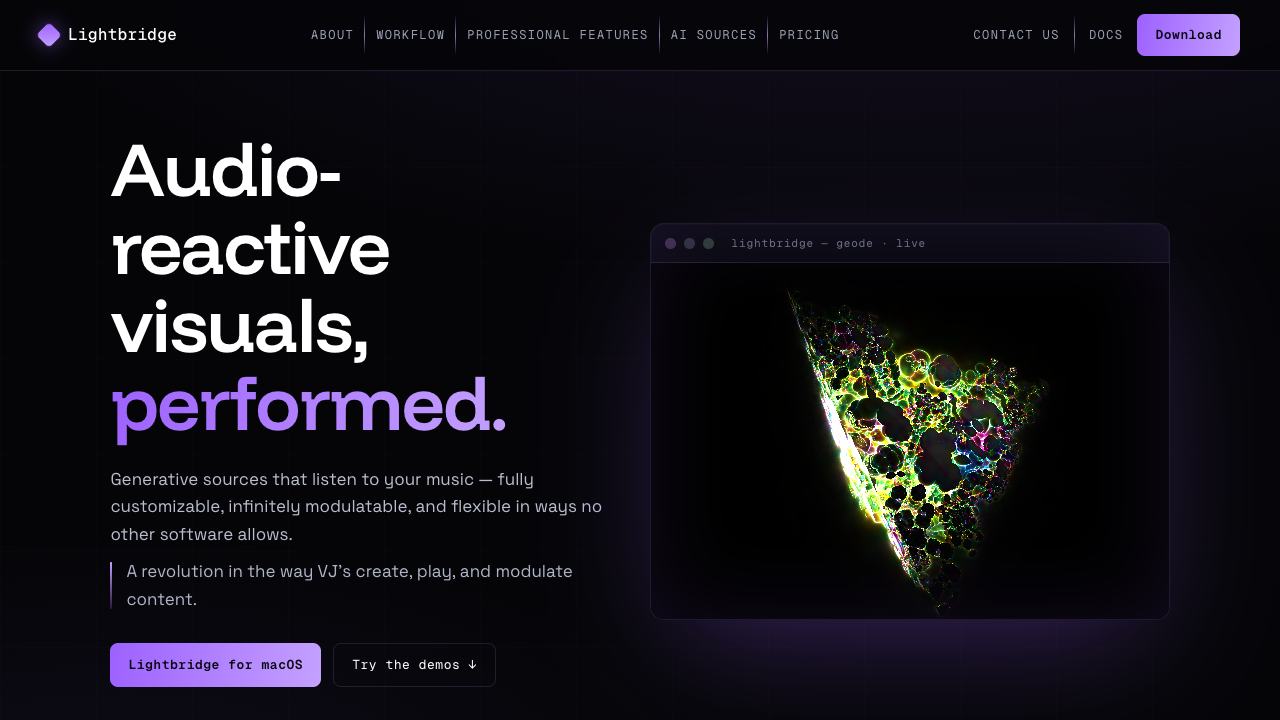
A GPU-accelerated performance app that turns live audio into visuals — a modular instrument where performers route audio, MIDI, LFOs, and Ableton Link tempo onto any visual parameter, in real time.
The problem
Most visual tools make you choose: the deep, GPU-fast environments are intimidating and patch-heavy, while the approachable ones can't really perform — you pre-render a timeline and press play. Neither feels like an instrument you can pick up and react with.
Lightbridge starts from a performer's expectation: everything you see should be able to move, and anything that moves should be routable to anything that makes sound. The craft is making that power feel playable rather than overwhelming.
Product & workflow
The core loop is source → modulation → output. A performer picks a generative source, exposes its parameters, and patches modulation onto whichever ones should breathe with the music.
What drives the visuals
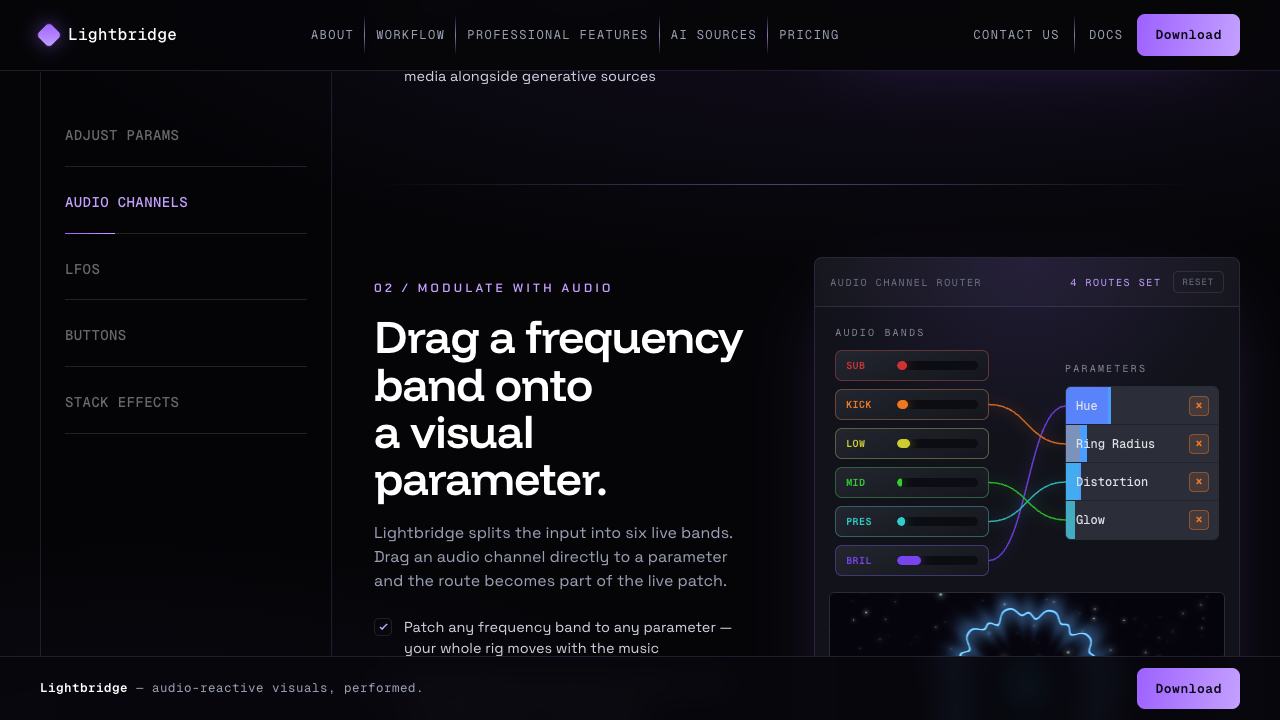
- Audio — split into frequency bands (sub-bass, kick, low-mid, mid, presence, brilliance) so different parts of a track can drive different parameters.
- Tempo & beat — Ableton Link keeps visuals locked to the room's clock; beat and onset signals add punch on the hit.
- LFOs & MIDI — shape motion by hand or map hardware controllers to parameters and pads.
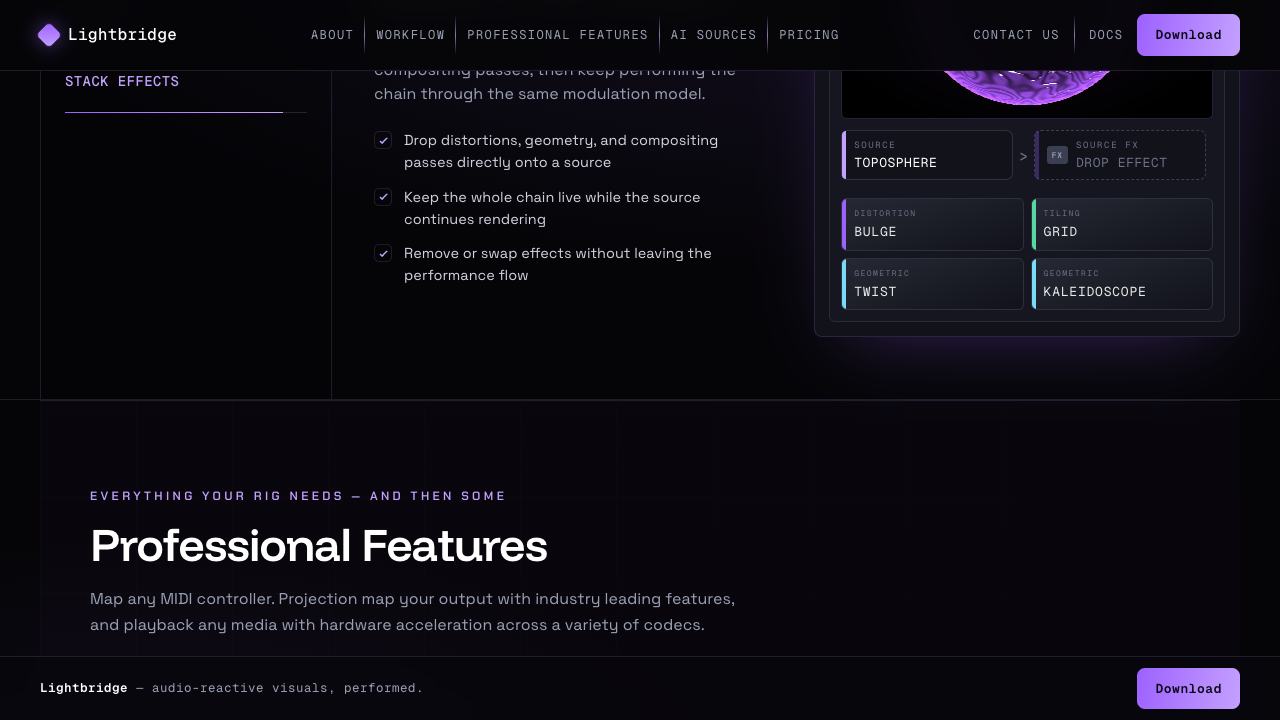
Sources and effects stack into chains, so a simple visual can be layered into something rich without leaving the performance.
Interaction & system design
The signature interaction is the modulation patchbay: drag a source of movement onto a parameter and a live cable connects them, colored by the modulator. It makes an abstract idea — "this sound controls that look" — physical and legible at a glance.
Underneath, every parameter is a normalized value on a shared bus, so any signal can drive any target and multiple modulators can sum onto one parameter. That single abstraction is what keeps a deep system feeling coherent: one mental model, applied everywhere.
Live exhibit · the signal path
Patch movement into light
Each route uses the same mental model: choose a signal, connect it to a visual parameter, and set the amount. Move through the three examples, then activate the real source below.
Audio → glow
Louder input raises luminance, so a visual breathes with the mix instead of merely playing beside it.
LFO → warp
A slow oscillator bends the source continuously; rate and depth make the movement calm or restless.
Beat → pulse
Onsets add a short, legible hit to radius and intensity without flattening the motion between beats.
Interface preview · activate when ready
Perform
Send a signal yourself
Open four synthesized pads. Every hit feeds the same audio envelope driving glow and pulse above.
Technical craft
Real-time visuals leave no room for jank. Lightbridge renders generative sources on the GPU through a Rust / WGPU pipeline, driven by a React interface inside an Electron shell so it can reach the OS for audio, MIDI, and pro output paths like projection mapping.
The hard part is the seam between a 60 fps render loop and a responsive UI: audio analysis, modulation math, and parameter updates have to reach the GPU every frame without stalling the interface. Keeping that boundary clean — data in one direction, control in the other — is what lets performers trust it on stage.
- Electron
- React
- Rust
- WGPU
- GLSL
- Web Audio / analysis
- MIDI
- Ableton Link
- Projection mapping
Reflection
Lightbridge is where my two lives meet: the performer who needs an instrument to respond now, and the engineer who has to make a GPU do that reliably. The lesson I keep applying elsewhere is that one strong abstraction — here, "everything is a routable, normalized value" — can make a genuinely powerful tool feel simple to play.